编译工具
编译 qemu-nvme
cd qemu-nvme
./configure --target-list=x86_64-softmmu --prefix=$HOME/Code/ocssd/out --python=/usr/bin/python3 --disable-werror
make -j $(nproc)
make install
编译后,需要把 qemu 配置到 PATH 里,在 .bashrc 或者 .zshrc 中追加:
export PATH=$HOME/Code/ocssd/out/qemu-nvme/bin:$PATH
之后,重启当前命令窗口
配置 Linux 内核
首先,让内核进行默认配置
cd linux
make defconfig
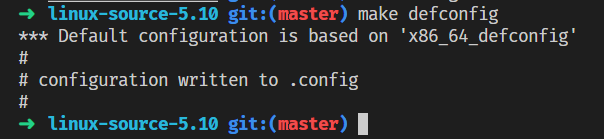
接着,使用 menuconfig 菜单,对内核进行附加配置,我们需要启用几个内核编译选项:
make menuconfig
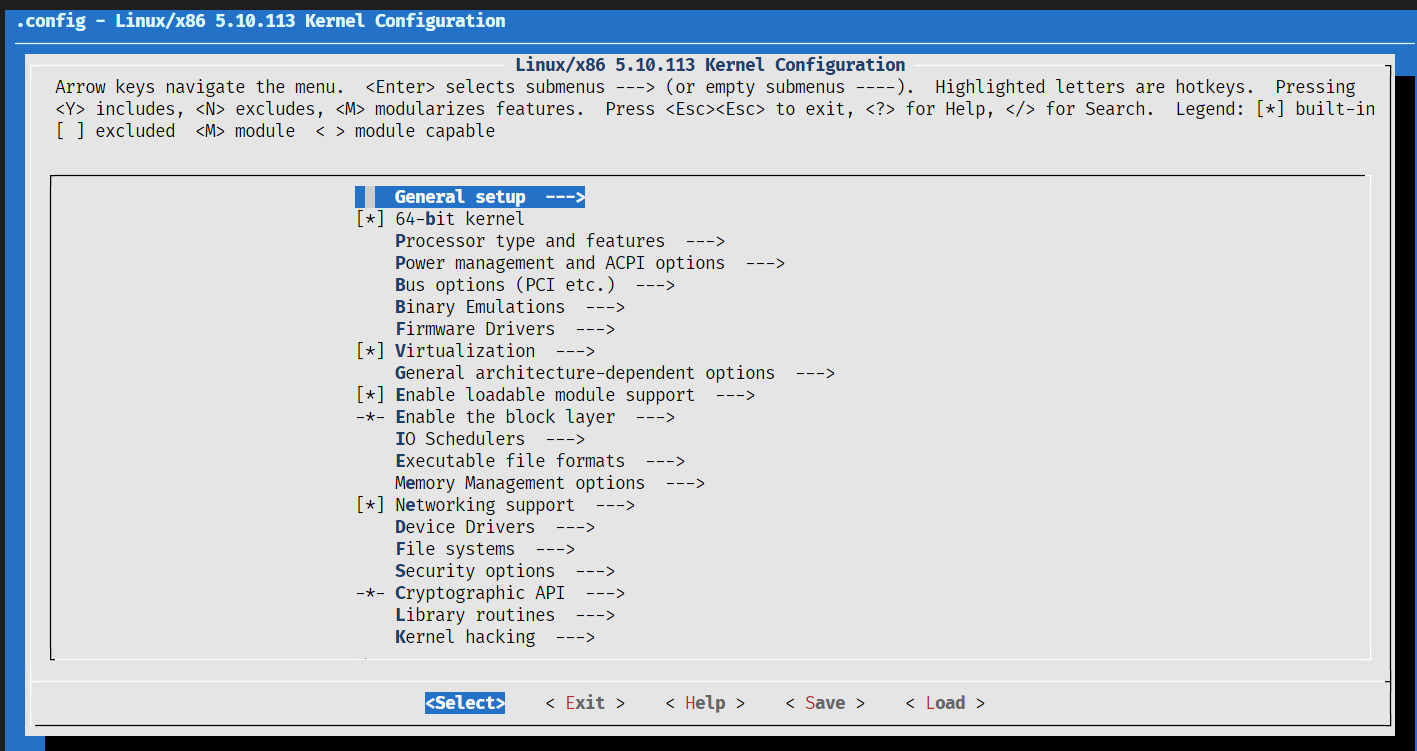
首先,为内核勾选调试符号支持,在路径 Kernel hacking —— Compile-time checks and compiler options —— Compile the kernel with debug info。
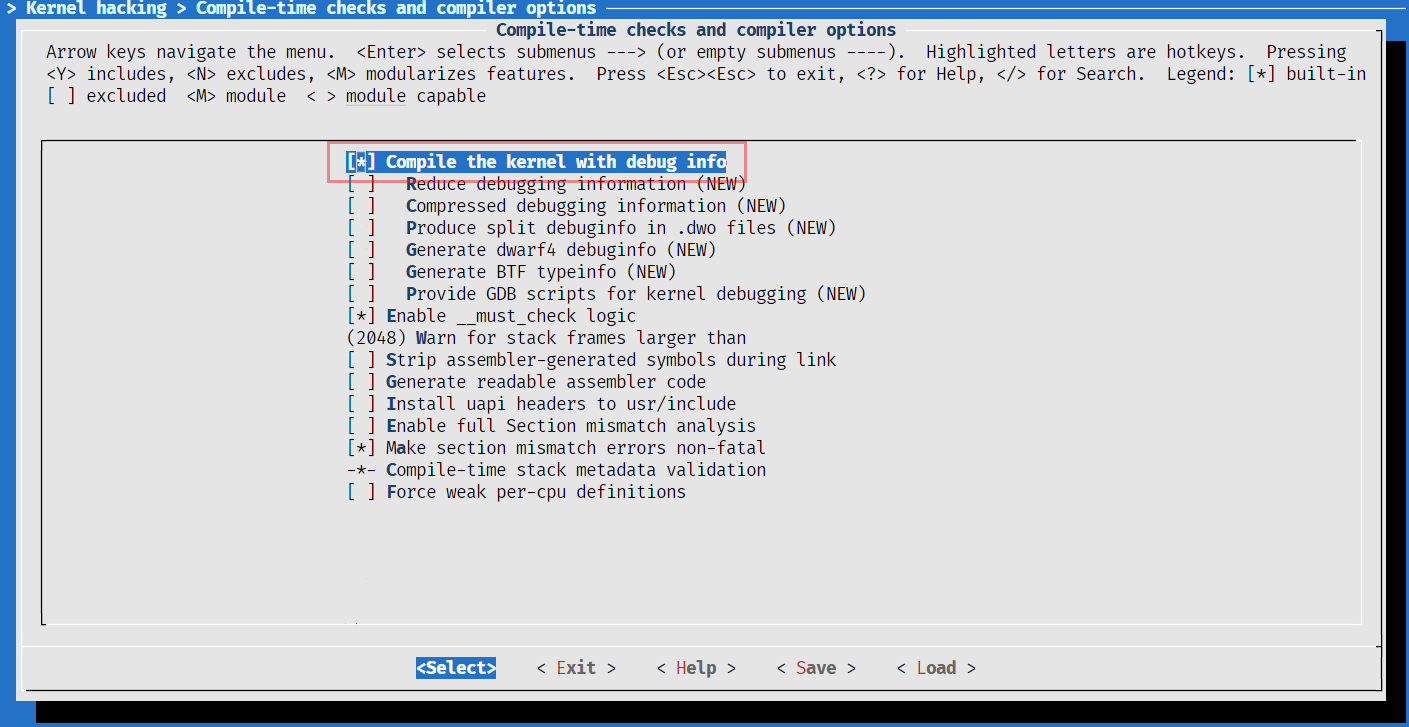
按两次 esc 跳出到上层菜单,回车选择下层菜单。
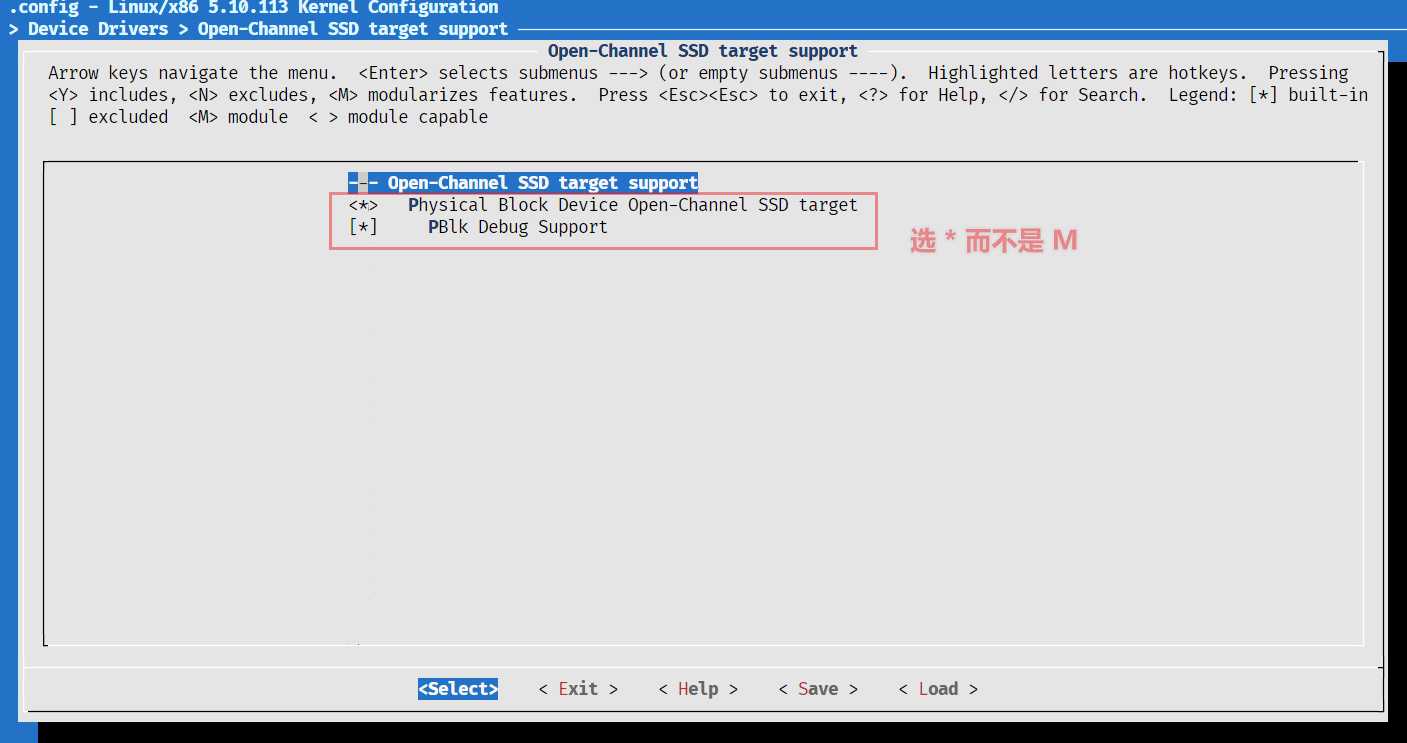
使用空格键选择和切换,星号表示编译为内核内建模块,M表示编译为内核可加载模块,之后的都 选星号即可。
接着,为内核勾选 NVMe 支持,在路径 Device Drivers —— NVME Support —— NVM Express block device
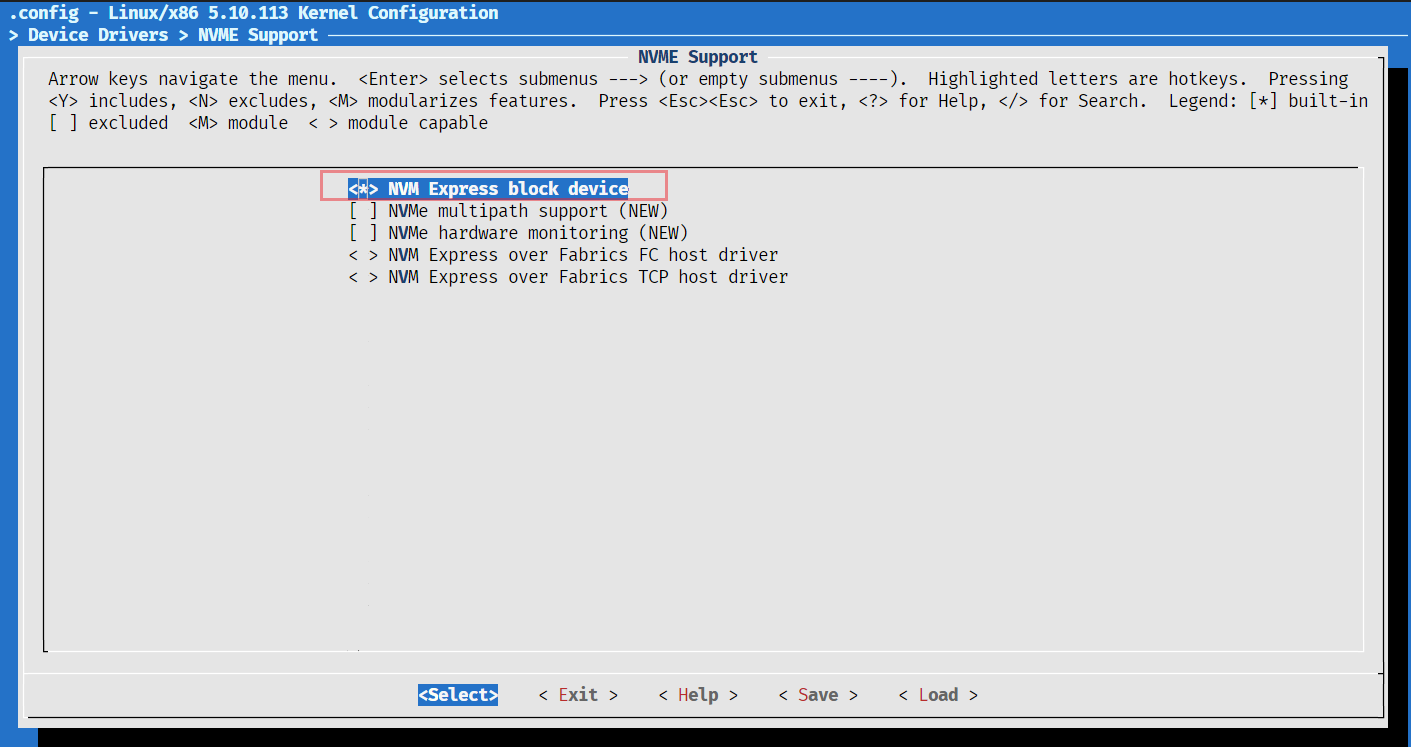
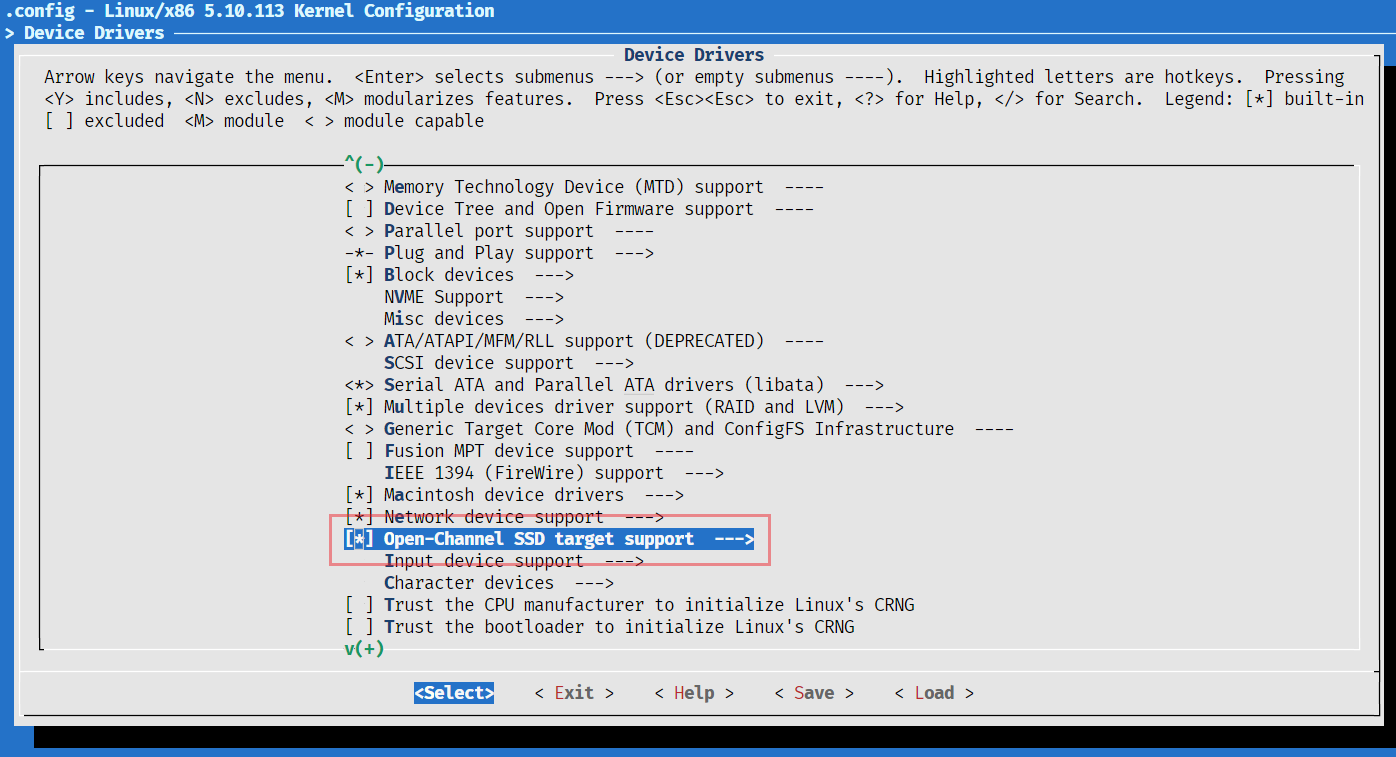
接着,为内核勾选 OCSSD 支持,在路径 Device Drivers —— Open-Channel SSD target support,选中后,按回车到子菜单中勾选全部选项。
至此配置完成,保存后退出 menuconfig 即可。
编译 Linux 内核
cd linux
make bzImage -j $(nproc)